Moving your License to a Different Device

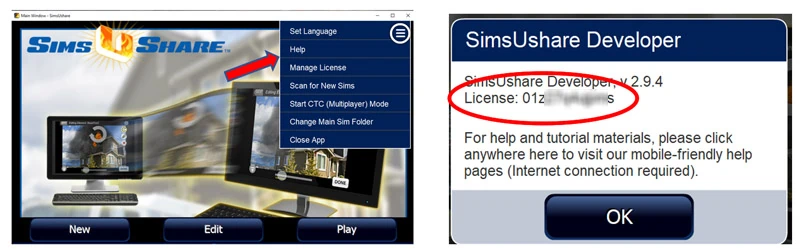
1. On the main screen, go to the menu in the top right and click on “Help”. Copy your License Code to a safe place.

SimsUshare License

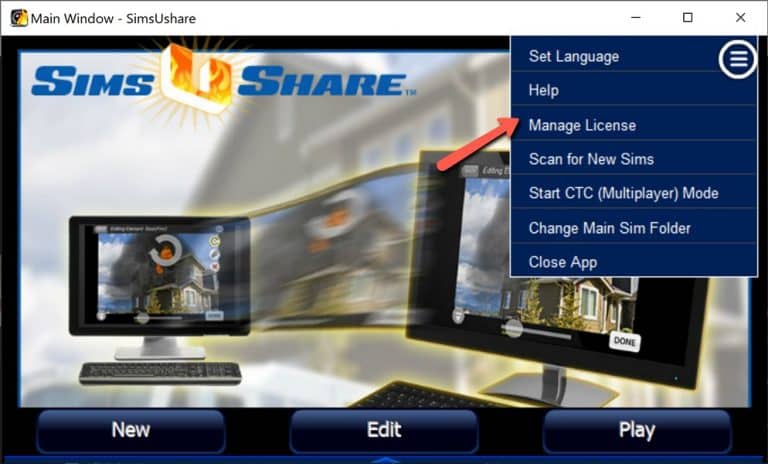
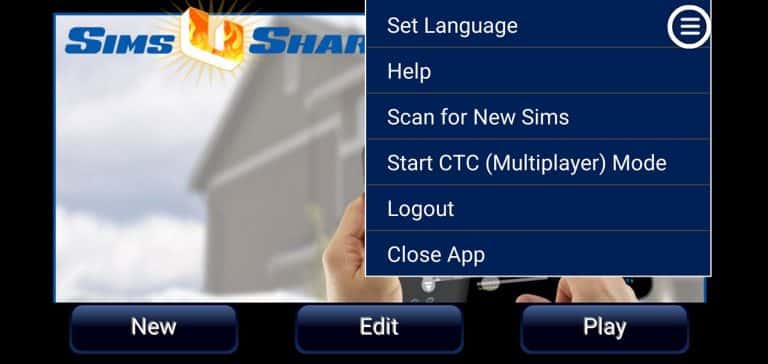
2. Next, go to the main screen menu and click on “Manage License” (for Windows/Mac) or “Logout” (for iOS/Android).

SimsUshare Manage License

Windows or Mac

SimsUshare Menu

iOS or Android

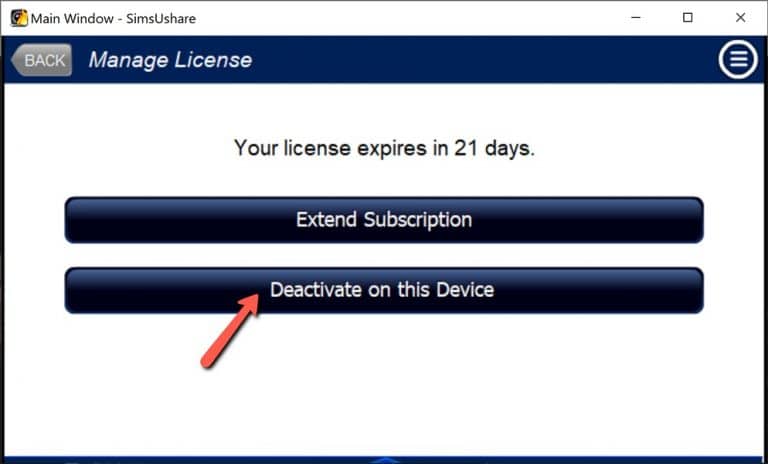
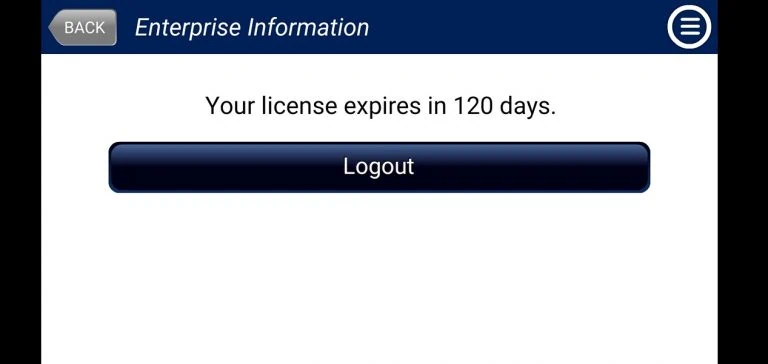
3. Click on “Deactivate on this Device” (Windows/Mac), or “Logout” (iOS/Android).

Deactivating a License on this device

Windows or Mac

License Expires

iOS or Android

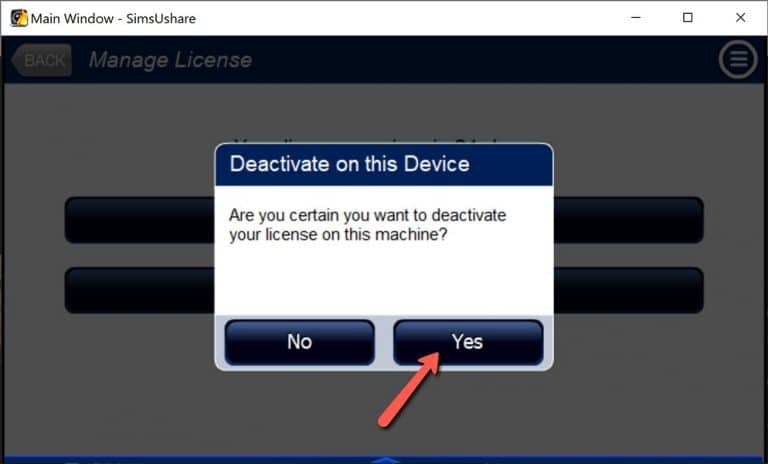
4. Click “Yes” to confirm that you want to deactivate/log out from this device.

Deactivating a License

Note: Functionality on Windows/Mac returns to the Free Sim Viewer. On iOS and Android, it returns to the original capabilities on purchase from the App Store/Google Play. On all platforms, you can continue to play your simulations.

5. Click here for instructions on how to install and activate license on another device.
Get Your Free Sim Starter Pack

Enter your information below to receive your instant download via email.